
Help Resources
Link
Link Overview
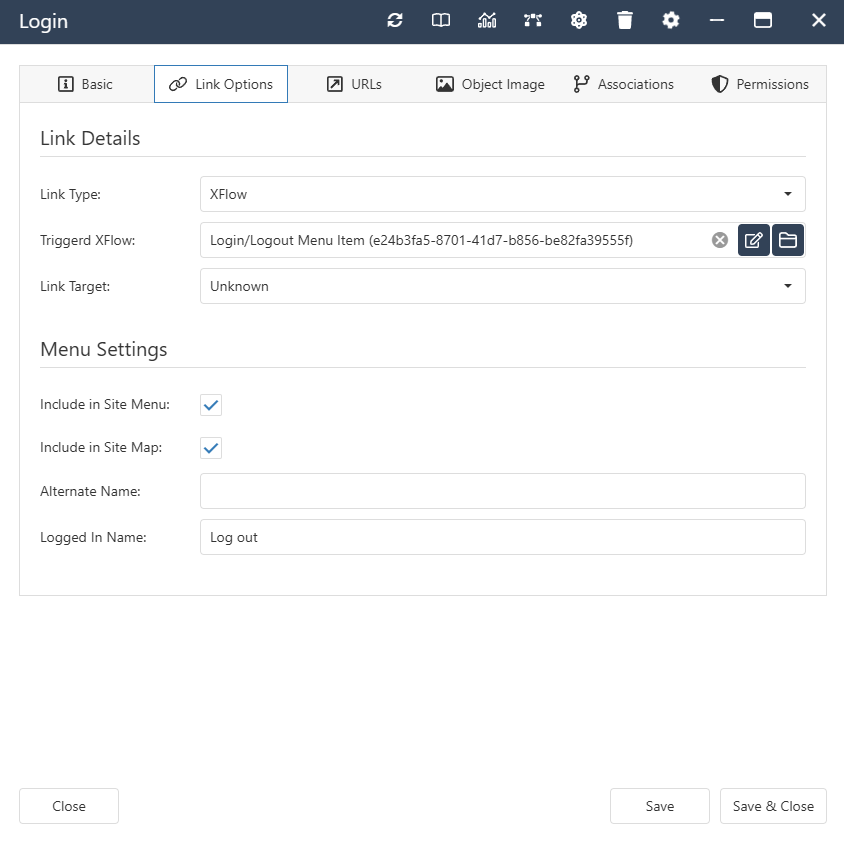
A Link Object is for using in a Menu structure. This means you can link to an external page/internal XPOR Object or trigger an XFlow from your website's Menu. It also has an Object Image so that you can use it in an Image Menu.

Link Properties
- LinkTarget - Constant Set Property. How should the link open?
- Same Window
- New Window
- Shadowbox
- New Tab
- Parent (parent of the shadowbox or iFrame)
- LinkType - Constant Set Property. What are you opening?
- XPOR Object
- External URL
- XFlow
- LinkToObject - Object Property. The XPOR Object being opened. Webpages and other Urlable Objects.
- LinkToXFlow - XFlow Property. The XFlow that is triggered when you click on the Link.
- LinkTo - Text Property. An external URL. For Example 'https://google.co.uk'.
Click here to view the Properties and Subtables inherited from Viewable Object
Link Interface
Link Associations
- System -
- Contained By. Allowed Types - Website Folder, Web Page, Website, Link.
- Contains. Allowed Types - Web Page, Link, Image, RSS Feed.
Click here to view the Associations inherited from Viewable Object